
KEY TAKEAWAYS
- Prolift Crane & Hoist launched with no in-house IT team and no existing infrastructure, and needed the whole stack live at once.
- Fusion Computing delivered structured cabling, site-wide Wi-Fi, hardware, and a secured Microsoft 365 tenant inside days, not months.
- The part founders underestimate is vendor coordination. That is where the weeks go.
Mike Pearlstein is CEO of Fusion Computing and holds the CISSP, the gold standard in cybersecurity certification. He has led Fusion’s managed IT and cybersecurity practice since 2012, serving Canadian businesses across Toronto, Hamilton, and Metro Vancouver.
Startup IT deployment means taking a new business from zero to fully operational IT in days rather than months. For Prolift Crane & Hoist that meant structured cabling, facility-wide Wi-Fi, procured hardware, a secured Microsoft 365 environment, and an ERP onboarding path, all provisioned together before the first customer deadline.
Introduction
Startup IT deployment takes a new business from zero to fully operational infrastructure in days. For Prolift that meant Microsoft 365 setup, endpoint security, network configuration, backups, and help desk access provisioned as one project rather than five. Source: Fusion Computing client case study, 2026.
Launching a business is hard enough when your work depends on precision, safety, and tight coordination between teams and technology. Prolift, a growing name in overhead crane systems, had to build a complete IT foundation from scratch. With no in-house IT team and firm deadlines, they needed a partner who could move fast and still think two years ahead.
I have run this kind of build many times, and my first question is never about hardware. It is about the lease date, because my whole schedule hangs off it.
Fusion Computing has supported Canadian businesses since 2012, delivering managed IT and cybersecurity services with a 93% first-contact resolution rate. The company’s CISSP-led security leadership and CIS Controls v8.1 alignment serve organizations with 10 to 150 employees across Toronto, Hamilton, and Vancouver.
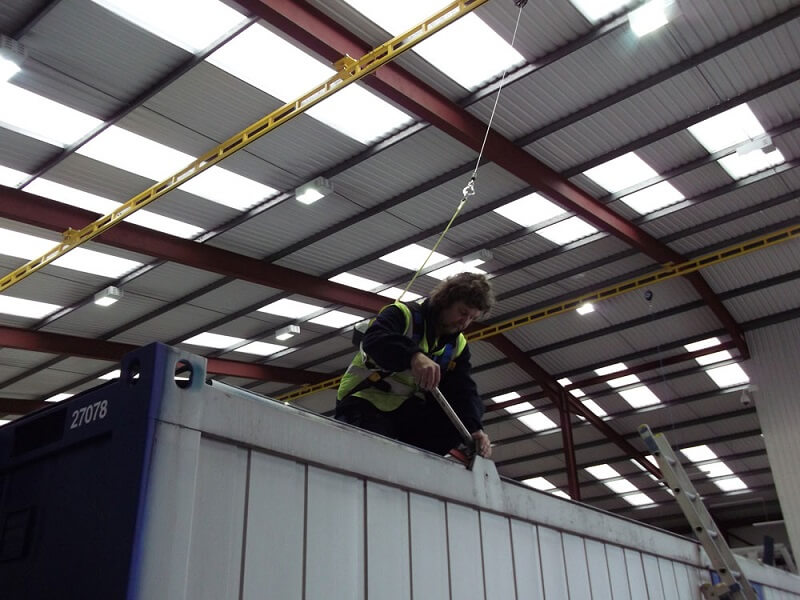
The Challenge: Starting from Zero
New companies inherit whatever they launch with. According to Statistics Canada, 14% of small Canadian businesses were impacted by cyber security incidents in 2023. Only about 1 in 8 affected businesses reported it to police. A new company gets one chance to set its baseline before habits harden around whatever it launched with.

Starting from a blank slate is daunting. Prolift needed the entire IT ecosystem running fast, with no margin for error. That meant:
- Immediate setup of business systems.
- Procurement of essential devices and hardware.
- Structured cabling and facility-wide networking.
- Reliable, secure Wi-Fi from day one.
- Guidance on core platforms, including Microsoft 365 and Microsoft Dynamics.
With a launch date fixed, delays were not an option. Getting it wrong the first time would have cost revenue, missed customer deadlines, and a lot of avoidable internal stress. Without an internal IT team, that was easier said than done.
What is startup IT deployment, explained in plain terms
Startup IT deployment is the single project that stands up everything a new company needs to work on day one. Cabling and Wi-Fi, laptops and phones, a Microsoft 365 tenant with security policies already applied, backup, and a support desk staff can actually reach. The defining feature is that it happens in parallel rather than in sequence.
Sequential builds are what stretch a launch from days into months. Cabling waits on the lease, hardware waits on cabling, accounts wait on hardware, and the ERP conversation waits on all three. Our engineers found that running those tracks in parallel, with one party holding every vendor relationship, is the whole difference.
Fusion Computing’s Strategic Solution: A Startup-Friendly, All-in-One Approach
Rather than deliver fragmented services, Fusion Computing builds a complete IT foundation covering every layer a launch needs, with one project plan and one point of contact. Fusion Computing delivers that as a single engagement rather than five. Microsoft 365 was the collaboration base, and the ERP conversation was routed to certified partners rather than left with the founders to research.

Here is how Fusion stepped up:
- Installed structured cabling and full-site Wi-Fi coverage throughout the facility for fast, reliable connectivity.
- Procured and deployed the hardware and devices so the team could start working without waiting.
- Established a secure Microsoft 365 environment for communication and collaboration across departments.
- Connected Prolift with trusted Microsoft Dynamics partners so ERP onboarding and integration ran smoothly.
- Used Fusion’s partner ecosystem to handle vendor management, removing weeks of research and coordination.
Within days, Prolift had a secure, scalable, working IT environment ready to support the team, its customers, and its growth plans.
What a day-one IT build needs: the launch checklist
There is a published floor for this. According to the Canadian Centre for Cyber Security, its Baseline Cyber Security Controls v1.2 apply an 80/20 rule for small and medium organizations. A new company can hit that floor on day one for close to nothing, and retrofit it later for a great deal more.
- Cabling and wireless designed for the building, not for the first desk that needed a network drop.
- Devices imaged to one standard before anyone starts working on them.
- A Microsoft 365 tenant with the security policies applied first, including multi-factor authentication and admin controls.
- Backup configured and tested, with somebody named as the owner of the restore.
- A support path staff can actually reach on their first day, not a founder’s mobile number.
- One party holding the vendor relationships, so nobody on the founding team is chasing an ISP install.
Results & Business Impact: Day One to Long-Term Growth
Prolift opened with the network, the devices, the Microsoft 365 tenant, and the support desk all live at the same time. No phase waited on another, and no founder spent the launch week on hold with a hardware distributor. I judge a build like this on one thing: whether the launch date held. Here it did.
- Opened on schedule with structured cabling, site-wide Wi-Fi, and deployed hardware all working from the first day of operations.
- Started on a secured Microsoft 365 tenant, with security policies and multi-factor authentication applied before staff logged in rather than retrofitted later.
- Unblocked ERP onboarding by routing Microsoft Dynamics work to certified partners, so the founders never had to evaluate implementers themselves.
- Collapsed vendor research and coordination into a single point of contact, which is the part of a launch that quietly consumes weeks.
- Kept the environment scalable, so adding people and sites has not required rebuilding what was installed at launch.
Build in-house vs managed IT: how to compare the choice
Skills, not hours, is the real constraint. According to CompTIA, 37% of channel firms say SMB customers committed to a managed provider to reach skills they could not hire. That is the real comparison at launch. One generalist hire against a bench that already covers network, security, Microsoft 365, and procurement.
A first IT hire is a genuine option once headcount and ticket volume justify a full-time role. Before that point the constraint is breadth, not hours. If you are weighing the two right now, get in touch and we will scope both honestly. Prolift needed cabling design, wireless engineering, tenant security, ERP vendor management, and procurement in the same fortnight, which is four or five skill sets and one person cannot hold them all.
Going Beyond the Basics
What set the engagement apart was the partner ecosystem. Instead of Prolift juggling vendor comparisons and separate contracts, Fusion Computing brought in the right partners at the right moment. That turned an IT setup from a potential headache into something closer to an advantage.

Fusion Computing manages those relationships as part of the engagement, which is why the founders spent launch week on customers instead of on procurement. We track every vendor thread centrally so the client never becomes the integration layer between two suppliers.
“We went from 35 employees to 70 in under a year after landing two major contracts. Every new hire needed a laptop provisioned, accounts set up, security configured, and access to our stack, usually within 48 hours. Fusion handled every onboarding without us having to micromanage it.”
Priya R., Fusion Computing client. A separate Fusion client, describing the same onboarding pattern after launch.
Conclusion
Prolift Crane & Hoist launched on time with the right technology, proper support, and no wasted motion. I would give any founder the same sequence. Fusion Computing delivered an IT foundation built for speed, security, and scale. The reminder in this story is simple: with the right partner, technology stops being the thing that sets your launch date.
Starting fresh? Start smart.
If you are building something, do not let IT hold it up. Talk to our team about how Fusion Computing can help you launch strong and scale sensibly, or call 416-566-2845.
Growth metrics at a glance
Day-one ready, core systems live at launch, and built to scale past the startup phase. Those 3 statements are the whole promise of a parallel build, and they are the ones I would ask any provider to commit to in writing before you sign anything at all.
There are also verified Google reviews of Fusion Computing. Compare this build with a 35 to 205 user scale-up, a GTHA dealership overhaul, and a cannabis-retail compliance build. Browse all case studies for the full set.
Frequently asked questions
These 4 questions come up on almost every founder call I take before a build like this one. The answers describe what Fusion Computing actually did for Prolift rather than a generic onboarding brochure, which should make them useful when you are pressure-testing a proposal.
What was Prolift’s biggest IT challenge as a startup?
Prolift needed a complete IT environment running fast with no internal IT team and no existing infrastructure. That covered business systems setup, hardware procurement, structured cabling, secure Wi-Fi, and guidance on Microsoft 365 and Microsoft Dynamics, all before the company could start serving customers. 5 workstreams, one launch date.
How quickly did Fusion get Prolift operational?
Within days. Fusion delivered structured cabling, facility-wide Wi-Fi, deployed hardware and devices, a secured Microsoft 365 environment, and connections to Microsoft Dynamics partners for ERP onboarding. Prolift’s team started working immediately instead of losing weeks to vendor coordination and setup sequencing.
Why is structured cabling important for a new business facility?
Structured cabling is the physical backbone of the network. Done properly at the start it supports fast, reliable connectivity, simplifies troubleshooting, and makes expansion far easier. For Prolift, having professional cabling installed during facility setup meant no rework of the infrastructure as the business grew into the space.
What does a Microsoft 365 setup include for a new business?
A proper Microsoft 365 deployment goes well beyond activating accounts. Fusion configured secure email, Teams collaboration, OneDrive and SharePoint storage, and the right licensing per user. Security policies, multi-factor authentication, and admin controls were all set up so Prolift started with a security baseline rather than patching one in later.


