
Been Hacked or Scammed? Start Here.
This page is for individuals and families in Canada who think an email account, Facebook profile, bank login, phone, or computer has been compromised.
Fusion Computing serves businesses, not home users. We built this resource because older Canadians and worried family members call us when something goes wrong and need the right next step fast. If that’s you, start with the checklist below. Then jump to the section that matches what happened.
This is plain-language cybersecurity help for individuals and families. It isn’t legal advice, and it isn’t emergency dispatch. It’s a triage guide to help you slow down, protect what you still can, and get to the right official resource or repair option quickly.
Choose the fastest next step:
Recover email or Facebook
Report fraud in Canada
Business incident
Do these first if you think you’ve been hacked or scammed:
- If money left your account, call your bank or card issuer right now using the number on the back of your card or inside your banking app.
- If your email was hacked, use a clean device if you can and go straight to the official recovery page for that provider.
- Change reused passwords, starting with email, banking, and your main social accounts.
- Turn on two-factor authentication wherever you still have access.
- Take screenshots, write down dates, and keep every case number. You’ll need that record later.
- If this is a business incident, stop here and contact Fusion or call (416) 508-7802.
Need hands-on help with a home computer? Start with a reputable local repair provider. Canada Computers lists virus and malware removal services, and a strong local independent repair shop is also a reasonable option.
KEY TAKEAWAYS
- If you’ve been hacked or scammed, the first step is to stop the bleeding: change passwords, disconnect compromised devices, and document everything.
- Report to the Canadian Anti-Fraud Centre and your bank. Then get a professional assessment to understand the full scope.
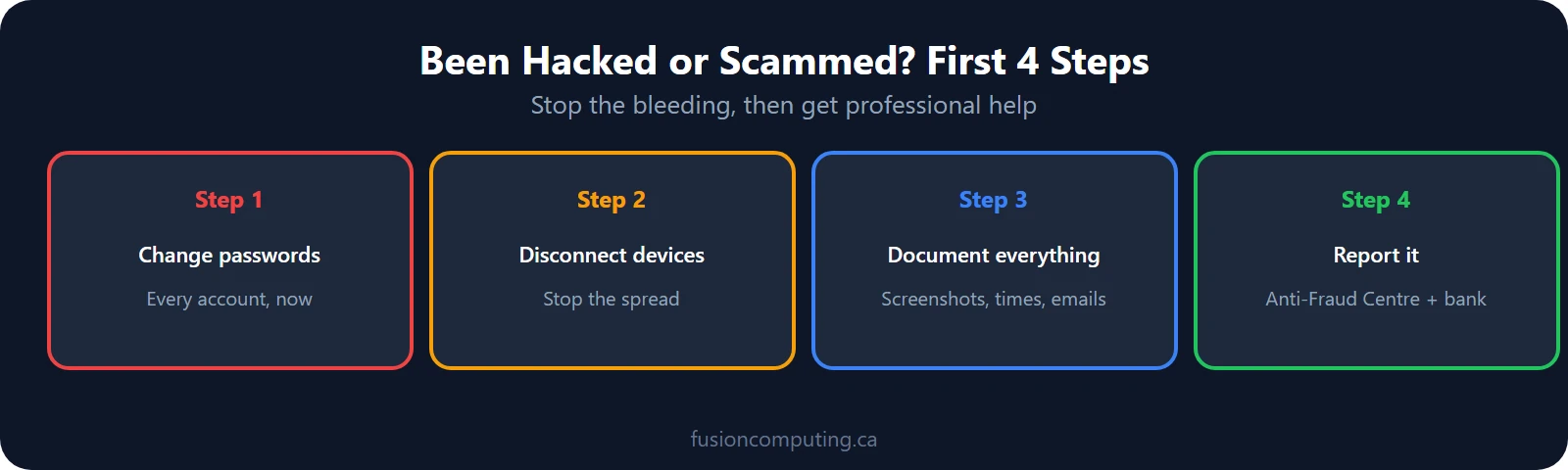
If you’ve been hacked or scammed, the first priority is stopping the damage: change every password, disconnect compromised devices from the network, and document everything – screenshots, timestamps, suspicious emails. Report to the Canadian Anti-Fraud Centre and your bank. Then get a professional assessment to understand the full scope.
What to Do in the First 15 Minutes
Immediate breach response for individuals: reset all passwords starting with email and banking accounts, activate credit monitoring, enable multi-factor authentication across every service, and run a full device security scan. Under PIPEDA, organizations collecting your data must notify you within a reasonable timeframe once a material breach is confirmed—but personal action shouldn’t wait for that notification.
Individuals should enable multi-factor authentication on all accounts, use a password manager to create unique passwords, keep operating systems and apps updated, avoid clicking links in unsolicited emails, and back up important files to a separate location. These five steps block the vast majority of consumer-targeted cyberattacks.
If you’re panicking, that’s normal. Slow the situation down. You don’t need to solve everything in one shot. You do need to stop the damage from spreading.
Fusion Computing is a CISSP-certified managed security services provider (MSSP) serving Canadian businesses since 2012. All security operations align to CIS Controls v8.1, with 24/7 managed detection and response, endpoint protection, and incident response — delivered from Canadian offices with all data stored in Canada.
- Stop the active problem. Hang up on the caller. Close the browser tab. Stop replying to the text. Stop sending money.
- Move to a trusted device. If you think the phone or computer itself is infected, don’t do password resets there if you can avoid it.
- Protect the accounts that unlock everything else. Start with email, then banking, then Facebook or other social accounts.
- Use official recovery pages only. Don’t search “Gmail hacked help” while stressed. Go straight to the real provider.
- Document what happened. Save screenshots, phone numbers, email addresses, transaction numbers, and exact times.
- Report where it matters. Your bank, the national fraud portal, and your local police each do different jobs.
If you only remember one thing, remember this: email is the priority. Once someone controls your email, they can start resetting other accounts.
Email, Facebook, or Social Account Hacked
This is often where the real damage starts. A hacked Gmail, Outlook, Facebook, or Instagram account can turn into bank fraud, marketplace scams, or impersonation of your family and friends.
Start here:
- Use a clean device if possible.
- Go to the provider’s official recovery page.
- Change the password to something unique.
- Turn on two-factor authentication as soon as you’re back in.
- Check for forwarding rules, recovery-email changes, and unfamiliar devices.
- Warn your contacts if suspicious messages were sent from your account.
Official recovery links:
- Google / Gmail account recovery
- Microsoft / Outlook account recovery
- Apple / iCloud account recovery
- Facebook hacked-account recovery
- Instagram hacked-account help
What to look for after you get back in:
- Forwarding rules that send your email somewhere else
- Changed recovery phone numbers or recovery emails
- Unknown devices or sessions still logged in
- Third-party apps you don’t recognize
- Messages sent from your account that you didn’t write
Don’t skip that cleanup step. A lot of people change the password and stop there. Then the attacker gets back in through the forwarding rule or recovery setting they already planted.
If you can’t recover the account, report the incident through Report Cybercrime and Fraud. If the account is being used to scam other people, also report it to the platform for disablement.
Money Sent or Banking Scam
If you sent money, typed card details into a fake page, or gave banking information to a scammer, treat that as urgent. Speed matters more than perfect paperwork in the first hour.
Do this now:
- Call your bank or card issuer right away.
- Ask them to freeze the card, review transactions, and flag the account for fraud.
- Change the password for online banking and the email attached to it.
- Report the scam through Report Cybercrime and Fraud.
- File a police report if money was stolen, threats were made, or identity theft is involved.
If you sent an Interac e-Transfer:
Try to cancel it in your banking app if the money hasn’t been deposited yet. If the recipient uses Autodeposit, the transfer can land instantly. Even then, still call your bank. Don’t assume it’s hopeless just because you already sent it.
If you paid with gift cards:
Contact the gift-card issuer and your bank immediately. Gift-card payments are a classic scam pattern. The Government of Canada is explicit that agencies like the CRA won’t demand payment that way.
If the scam came through a fake delivery text, tax message, or marketplace conversation:
- Keep the screenshots
- Save the profile, email, or phone number used
- Stop engaging with the scammer
- Warn anyone else who may have been contacted through your account
One more thing: don’t pay a “recovery service” that cold-calls or messages you after the fact. Scam victims often get targeted a second time by people promising to recover the money.
Identity Theft or Personal Information Exposed
If someone has your personal information, the problem may keep moving for weeks or months. That’s why this section is less about one magic fix and more about putting roadblocks in place.
Start with the credit bureaus:
- Equifax Canada: 1-800-465-7166
- TransUnion Canada: 1-800-663-9980
Contact both. Don’t assume one will update the other.
Ask for:
- A fraud alert or identity alert
- A consumer statement with your phone number
- Instructions for getting and reviewing your credit report
Then do this:
- Review your bank and credit-card accounts for anything you don’t recognize.
- Review both credit files for new accounts, inquiries, addresses, or phone numbers that aren’t yours.
- If your SIN may be involved, contact Service Canada at 1-866-274-6627.
- Report the incident through the national fraud portal and to your local police.
- Keep a written log of every call and case number.
Warning signs that point to identity theft:
- Bills or collection calls for accounts you never opened
- Credit inquiries you didn’t authorize
- Mail that suddenly stops arriving
- Password-reset messages for accounts you didn’t touch
- A tax, benefits, or banking issue that doesn’t make sense
If a company breach exposed your data, you may also want to review guidance from the Office of the Privacy Commissioner of Canada.
Suspicious Text, Delivery Scam, or Fake CRA Message
If the message is trying to rush you, scare you, or get you to click before you think, treat it like a scam until proven otherwise.
Common warning signs:
- It creates urgency
- It asks you to click a link to “verify” something
- It asks for payment, card details, banking info, or login info
- The web address looks close to the real brand, but not quite right
- It claims there’s a delivery problem, tax issue, or locked account and you must act now
What to do:
- Don’t click the link.
- Don’t reply.
- If it’s a text, forward it to 7726.
- If it claims to be from your bank, CRA, or Canada Post, go to the official site yourself or call the real number.
- Delete the message after you’ve captured anything you may need for reporting.
Already clicked? Change the affected password from a trusted device, turn on two-factor authentication, contact your bank if payment details were exposed, and report the incident through the national fraud portal.
Useful official references:
- Get Cyber Safe on forwarding scam texts to 7726
- Canada Post suspicious email and text guidance
- Cyber Centre malicious-email guidance
Malware, Pop-Ups, or Fake Tech Support
If your device suddenly slows down, starts opening windows on its own, shows ransomware-style warnings, or tells you to call a number for support, assume the device may be compromised.
Do this first:
- Disconnect from Wi-Fi if you can.
- Don’t call the number in the pop-up.
- Don’t give remote access to anyone who contacted you first.
- Run a full security scan.
- Change important passwords from a different trusted device.
For Windows: start with Microsoft Defender, which is built in. If the machine is still behaving strangely after a scan, get in-person help.
For iPhone or Android: update the device, remove anything you don’t recognize, and review recent app installs. If the problem keeps coming back, back up what you need and consider a factory reset or local repair help.
Get professional help if:
- The device is locked by ransomware
- The pop-ups keep returning
- You gave remote access to a scammer
- You aren’t comfortable checking the system yourself
For home-computer cleanup, Canada Computers is one visible option in Canada, and a strong local independent repair shop is another.
Helping an Older Parent, Spouse, or Relative
This page exists largely for this situation. A lot of older adults don’t need a lecture. They need a calm person beside them, a short plan, and permission to ask for help before clicking or paying.
The best habits to set up:
- Put a password manager in place.
- Turn on two-factor authentication for email and banking.
- Turn on automatic updates.
- Create a family verification rule for urgent money requests.
- Tell them they can always call you before clicking, paying, or sharing information.
A simple family rule works well: if anyone calls, texts, or emails with urgency, money pressure, or “don’t tell anyone,” stop and verify through a known number first.
If they already got hit:
- Keep shame out of it
- Contact the bank first if money is involved
- Lock down email and phone-account recovery settings
- Report the scam properly
- Write the key contacts and steps on paper so they don’t have to remember them during the next scare
Government of Canada guidance for older adults is here: Fraud and scams targeting older Canadians.
Official Canadian Reporting Resources
Use more than one of these when needed. Your bank, the national fraud portal, and your local police each handle different parts of the problem.
- Report Cybercrime and Fraud: national reporting portal
- Canadian Anti-Fraud Centre: 1-888-495-8501
- Canadian Centre for Cyber Security: 1-833-CYBER-88
- Get Cyber Safe: practical public guidance
- Equifax Canada: 1-800-465-7166
- TransUnion Canada: 1-800-663-9980
- Service Canada: 1-866-274-6627 if your SIN may be involved
- Your local police: especially if money was stolen, threats were made, or identity theft is involved
Business Incident
If this is happening inside a company, don’t keep working through the consumer path above. A business incident usually needs faster containment, broader account review, and evidence preservation.
Fusion Computing helps Canadian businesses with managed cybersecurity and incident triage. If you’re dealing with a compromised business account, ransomware, suspicious sign-ins, or a broader security event, contact our team or call (416) 508-7802.
You can also review our cybersecurity services and our ransomware recovery case study if you want to understand how we approach business incidents.
Fusion Computing serves businesses across Toronto & GTA | Hamilton | Metro Vancouver
FAQ
What should I do first if my email was hacked?
Use a trusted device if you can, go to the provider’s official recovery page, change the password, turn on two-factor authentication, and check for forwarding rules or recovery-setting changes.
Where do I report cybercrime or fraud in Canada?
Use Report Cybercrime and Fraud. If money was stolen or identity theft is involved, contact your bank and local police too.
Do I need to contact both Equifax and TransUnion?
Yes. If identity theft or a data exposure may affect your credit, contact both bureaus directly and ask about alerts, statements, and credit-report review.
What if I sent money by Interac e-Transfer?
Try to cancel it if it hasn’t been deposited yet, then call your bank immediately. If the recipient uses Autodeposit, the money may have landed instantly, but you should still report it and ask the bank what options remain.
Where can I get help for an infected home computer?
Start with a reputable local repair provider. Canada Computers is one visible option in Canada, and a strong local independent repair shop is another.
How can I help an older parent stay safer online?
Set up a password manager, turn on two-factor authentication, keep devices updated, and create a simple family rule that says no money or login action happens until the request is verified through a known number.
This resource was written for individuals and families in Canada who need a clearer first response after a cyber incident. It was reviewed by Mike Pearlstein, CISSP, CEO of Fusion Computing Limited.
Last reviewed: March 21, 2026
Related Resources
Related Resources
Not Sure Where Your IT Stands?
Our free IT assessment gives you a clear picture of your infrastructure, security gaps, and opportunities. No obligation, no sales pressure.


