

The modern workforce is no longer desk-bound. Employees work from home, coffee shops, client offices, and on the road — all while accessing business email, files, and applications on phones and tablets. Some devices are company-issued; many are personal. This flexibility is good for retention and productivity, but it creates real security and compliance risks if your organization doesn’t have the right controls in place.
Mobile Device Management (MDM) is the foundational tool that makes BYOD (Bring Your Own Device) policies actually work. Without it, you’re essentially asking employees to store your business data on unmanaged devices with no encryption, no remote wipe capability, and no way to enforce security policies.
If you’re moving into rollout, our managed IT services page covers ongoing device and user support, our cybersecurity services page covers the security side of Intune and conditional-access enforcement, and our IT assessment page can scope the deployment plan.
KEY TAKEAWAYS
- MDM lets you enforce security policies, push updates, and remotely wipe lost devices across every phone and tablet your team uses.
- BYOD without MDM is a security gap. If employees access company email on personal devices, you need management controls.
- Microsoft Intune (included in M365 Business Premium) covers MDM for most Canadian SMBs without additional licensing.
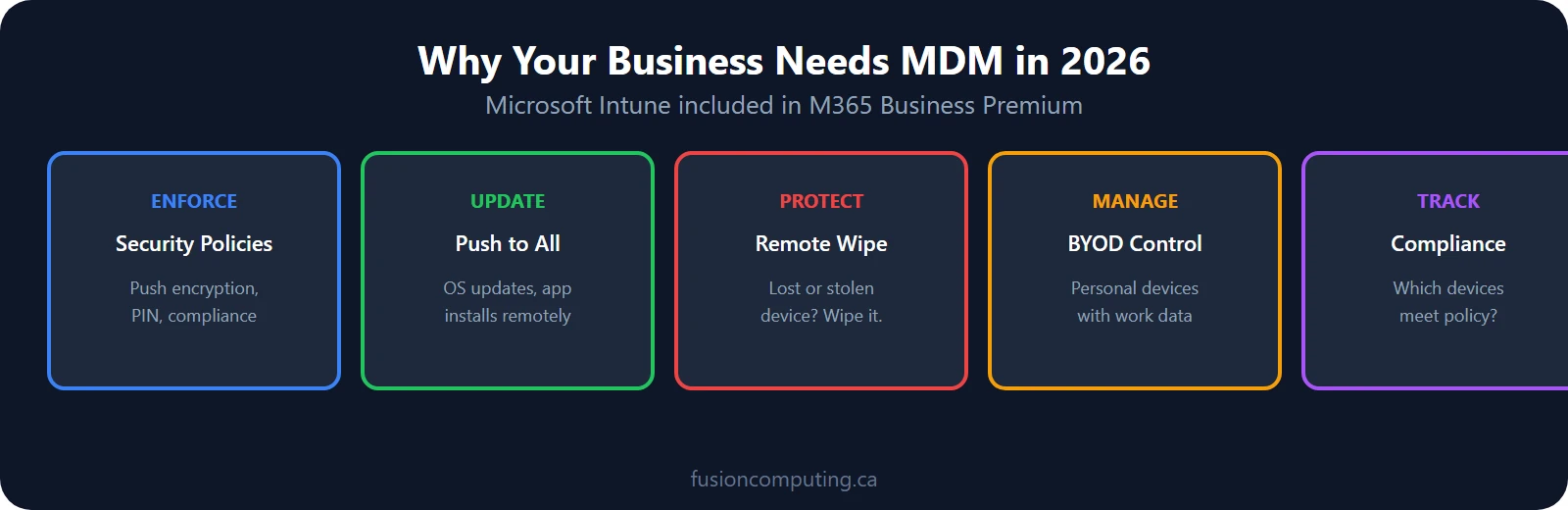
Mobile device management (MDM) is technology that lets businesses enforce security policies, push updates, and remotely wipe lost devices across every phone, tablet, and laptop employees use. Microsoft Intune, included in M365 Business Premium at CA$28.20/user/month, covers MDM for most Canadian SMBs without additional licensing.
TL;DR
Mobile device management (MDM) lets businesses enforce security policies, push updates, and remotely wipe lost devices across every employee endpoint. With 70% of Canadian employees using personal devices for work, MDM platforms like Microsoft Intune are essential for BYOD security. Fusion Computing deploys and manages Intune-based MDM for organizations of all sizes.
What is Mobile Device Management (MDM)?
Mobile device management (MDM) is software that allows organizations to secure, monitor, and manage employee mobile devices—smartphones, tablets, and laptops. Core MDM capabilities include device encryption enforcement, remote lock and wipe, app deployment and restriction, passcode policies, BYOD work/personal data separation, and compliance reporting. MDM protects corporate data on both company-owned and employee-owned devices.
TL;DR
Mobile device management (MDM) is enterprise software that secures, monitors, and manages smartphones, tablets, and laptops across an organization. MDM enforces security policies (encryption, passcodes, remote wipe), manages app deployment, separates work and personal data on BYOD devices, and ensures compliance with privacy regulations. For Canadian businesses, MDM is essential for remote and hybrid workforces.
Mobile Device Management is a centralized platform that lets IT teams control, monitor, and secure smartphones, tablets, and laptops used for work — whether they’re company-owned or personal devices. MDM acts as a digital gatekeeper: it enforces security policies (encryption, password requirements, app restrictions), deploys and updates applications, monitors device health, and can remotely wipe a device if it’s lost or stolen. Think of it as having IT oversight over your mobile fleet without having physical access to each device.
Fusion Computing is a Canadian-owned managed IT and cybersecurity provider serving businesses with 10 to 150 employees since 2012. With a 93% first-contact resolution rate and CISSP-certified security leadership, Fusion Computing delivers monitoring, help desk, and security services aligned to CIS Controls v8.1.
BYOD vs. Corporate Device Policies: Why Both Need MDM
Mobile device management (MDM) is software that lets IT administrators remotely configure, monitor, secure, and wipe company and employee-owned smartphones, tablets, and laptops. MDM enforces encryption, password policies, app restrictions, and remote wipe capabilities across all devices accessing corporate data. It’s essential for any business supporting remote or hybrid workers.
Organizations have two common approaches: issue company devices to everyone, or allow personal devices and enforce BYOD policies. The truth is, most Canadian businesses now run a hybrid model — some roles get company devices, others bring their own. MDM works equally well for both strategies and is essential for whichever path you choose. With MDM, you can enforce identical security standards across a mixed fleet, containerize work data away from personal content, and maintain compliance regardless of device ownership.
Microsoft Intune: The 2026 Standard for Canadian Organizations
If your organization uses Microsoft 365 — Outlook, Teams, OneDrive, SharePoint — then Microsoft Intune is almost certainly the right MDM choice. Intune is built into the Microsoft ecosystem, which means it works natively with M365 apps and integrates seamlessly with your existing Azure AD identity infrastructure. For Canadian businesses with regulatory requirements like PIPEDA compliance, Intune’s data residency options ensure compliance stays straightforward. Intune has become the market standard because it eliminates the need for a separate MDM platform if you’re already investing in Microsoft 365.
MDM Security Features: Enforcement Without Constant Firefighting
MDM systems provide layers of technical control that would be impossible to manage manually. Remote wipe capability lets you instantly remove all business data from a lost or stolen device. Encryption requirements ensure data is unreadable even if a device is compromised. App management controls which applications can be installed and used, preventing employees from downloading malware or unauthorized software. Device health monitoring alerts IT to jailbroken or rooted devices that bypass security protections. Together, these features create an environment where security is enforced by policy rather than relying on user discipline.
Compliance and Data Residency: PIPEDA, PIPA, and Beyond
Canadian organizations operate under PIPEDA (federal) and provincial privacy laws that impose strict requirements on where personal data lives and who can access it. MDM systems provide the audit trails and access controls that regulators expect. Intune specifically offers Canadian data residency options, which means your personal data and metadata can be stored within Canada rather than defaulting to US data centers. This is a significant advantage for organizations subject to PIPEDA audits or provincial privacy reviews. Without MDM, demonstrating that you’ve taken reasonable security steps to protect personal data becomes much harder during a compliance review.
MDM for Hybrid and Remote Workforces
Remote workers access company systems from locations and networks outside your control. A coffee shop Wi-Fi, a home network shared with family members, or a hotel connection — all present risk vectors for data interception. MDM mitigates this by enforcing encryption on the device itself, requiring strong authentication (multi-factor is standard), and restricting which apps can connect to which data sources. With MDM, you can enforce the same security policies for a remote team as you would in the office, without requiring a VPN connection that slows productivity.
How much does NOT Having MDM: Breach, Downtime, and Lost Data cost?
Consider the scenario where an employee loses a phone with company email and a spreadsheet of client passwords stored on it. Without MDM, recovery is reactive — call the employee, hope they didn’t store a backup somewhere, apologize to affected clients. With MDM, IT remotely wipes the device in minutes, revokes access tokens, and records the action for the audit trail. The cost difference is dramatic: a data breach involving personal information can easily cost $500K or more in notification, legal, and reputation damage. An MSP with MDM deployed typically prevents this class of incident entirely.
BYOD Management: Policies and Controls for Employee Devices
Bring-your-own-device (BYOD) programs save hardware costs but introduce security gaps unless you manage them properly. An unmanaged personal phone with access to company email is a data breach waiting to happen — especially if it’s lost, stolen, or compromised by malware.
Effective BYOD management requires:
- Enrolment in your MDM platform — Microsoft Intune or a comparable tool. No enrolment, no access to company data.
- Containerization — Separate work data from personal data. If the device is wiped, only the work container is erased.
- Conditional access policies — Block access from devices that don’t meet security baselines (encryption enabled, current OS, active MDM agent)
- Clear acceptable use policy — Employees need to know what’s monitored, what’s not, and what happens if the device is compromised
For businesses using Microsoft 365 Business Premium, Intune MDM is already included in your licensing. The gap is configuration and enforcement — which is where a managed IT provider ensures BYOD doesn’t become a liability.
When and Why to Bring in an MSP for MDM
Implementing and managing MDM requires expertise — policy design, device enrollment, troubleshooting mobile app issues, managing device lifecycle. Many organizations lack in-house staff with this skill set. A managed IT services provider (MSP) handles MDM deployment, ongoing management, and 24/7 monitoring, so your team doesn’t have to. This is especially valuable for smaller organizations or those managing rapid growth. Since 2012, Fusion Computing has deployed MDM for hundreds of Canadian organizations, helping them move from ad-hoc mobile security to a controlled, scalable approach.
Related Resources
Not Sure Where Your IT Stands?
Our free IT assessment gives you a clear picture of your infrastructure, security gaps, and opportunities. No obligation, no sales pressure.
Mobile Device Management is a system that lets IT teams control, monitor, and secure smartphones, tablets, and laptops used for work. As more employees use personal and company devices to access business data, MDM gives organizations a way to enforce security policies, push updates, and wipe devices remotely if they’re lost or stolen. Without MDM, you have no control over how business data is stored and no way to respond quickly to a security incident.
Can MDM be used on personal devices employees bring to work?
Yes. Most MDM solutions support BYOD configurations that separate personal and business data using containerization. IT can enforce security policies and manage business apps without accessing personal content, photos, or messages. This approach makes BYOD practical because employees don’t feel their personal privacy is invaded, and IT gets the security controls it needs to protect business data.
How does MDM reduce security risk for remote and hybrid teams?
Remote workers access company systems from locations and networks you don’t control. MDM lets you enforce encryption on the device itself, require strong passcodes and multi-factor authentication, restrict which apps can access which data, and remotely lock or wipe a device if compromised. This keeps your business data protected even when it’s sitting on someone’s personal phone at a coffee shop or home network.
What happens when an employee leaves and they had company data on their device?
With MDM, offboarding is straightforward. IT can remotely remove business apps and data from the device in minutes, revoke access credentials, and unenroll the device from the management platform. Without MDM, recovering company data from a former employee’s personal device is difficult, time-consuming, and often results in data loss and compliance violations.
Does MDM work for businesses that issue company-owned devices?
MDM is especially effective for company-owned devices because you have full administrative control. You can configure devices before they’re distributed, lock them to approved apps and settings, automate operating system and security updates, and monitor usage and compliance. This gives IT teams a consistent, manageable fleet and is often easier to govern than BYOD programs.
How does mobile device management integrate with Microsoft 365?
Microsoft Intune, included in Microsoft 365, provides built-in MDM and Mobile Application Management (MAM) capabilities. It works natively with Outlook, Teams, OneDrive, and other M365 apps, and integrates with your Azure AD user directory. For organizations already using Microsoft 365, Intune is the most straightforward MDM solution because it doesn’t require a separate platform or additional licensing.
Fusion Computing serves Canadian businesses across:
Managed IT — Toronto · Managed IT — Hamilton · Managed IT — Metro Vancouver
About the Author
Mike Pearlstein is CEO of Fusion Computing and holds the CISSP, the gold standard in cybersecurity certification. He has led Fusion’s managed IT and cybersecurity practice since 2012, serving Canadian businesses across Toronto, Hamilton, and Metro Vancouver.
External Sources:


